Sometimes you want a quick puzzle without searching an app store or installing another game. Browser puzzle games offer a simple alternative: open a website, let the game load, and start playing in your browser.
Whether you’re at a computer or using a phone, a browser game can be a convenient way to enjoy a short session. Here’s what to expect and how to get started with Amaze Go online.
What Are Browser-Based Puzzle Games?
Browser-based puzzle games are games you play on a website using a web browser. Instead of installing a separate application before playing, you visit the game’s page and interact with it there.
These games can include word puzzles, number games, logic challenges, and arrow puzzles. Some are free online puzzle games, while others may have different costs or features. It’s worth checking the details on each game’s website.
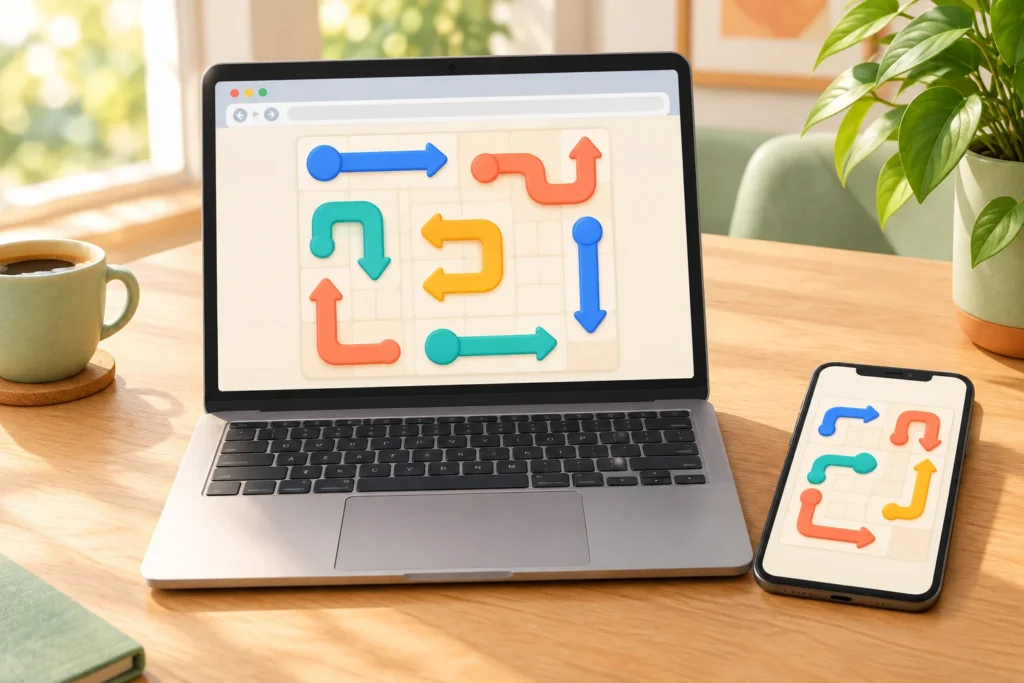
Amaze Go is an example of a browser-based arrow puzzle. Its board is available on the homepage, so you can try a level without downloading a mobile app.
How Online Puzzle Games Work
When you visit a game page, your browser loads the content needed to display the puzzle. Once it’s ready, you can use your mouse or touch screen to interact with the game, depending on your device and the game’s controls.
An internet connection may be needed to load the page and its content. How the game saves progress also varies. Some browser games may use information stored in your browser, while others may have different systems.
For Amaze Go, your selected level is saved in your browser when storage is available. Individual moves within a puzzle are not saved, so reloading or leaving during a level can mean losing your current moves.
Playing Directly Through a Web Browser
To play puzzle games in a browser, start by opening the game’s website. Look for the puzzle or a play button, allow the page to load, and check the instructions before making your first move.
With Amaze Go, the game is on the homepage. You can choose a level, look for a clear arrow path, and click or tap the piece to remove it. There’s no need to install a separate app to use the browser game.
If you want to explore the available help before playing, the Where to Play page links to guides and other resources.
Desktop, Tablet, and Mobile Access
One advantage of browser puzzle games is that you can visit a game website from different kinds of devices. The experience can vary, though: screen size, browser support, and controls all affect how a game looks and feels.
On a desktop computer, Amaze Go lets you select arrows with a mouse. On a phone, you can tap them. A larger screen may make a crowded board easier to see, while a phone can be convenient for a quick puzzle away from your desk.
If you’re using a tablet, try opening the game in its browser and see how the page and touch controls work on your device. Not every browser game supports every device in the same way.
For small-screen suggestions, including how to inspect closely packed arrows, read tips for playing browser puzzle games on mobile devices.
Browser Compatibility and Performance
A game’s loading speed and appearance can depend on your connection, browser, and device. If a page is slow to load, first check your internet connection and give the game a moment to appear. Keeping your browser and device software updated may also help with compatibility.
If the board is difficult to see, use Amaze Go’s plus and minus controls to adjust the view. On a larger board, switch to Pan mode and drag to inspect another area; switch back to Scroll mode when you want to move down the page.
If a page still doesn’t display properly, you could try another browser available on your device. Be aware that reloading the game may interrupt your current puzzle, and individual moves are not saved.
Starting Amaze Go Online
Ready to try a browser-based arrow puzzle? Visit Amaze Go, enter a level number in the selector, and choose Go. Once the board loads, follow these steps:
- Find an arrowhead and see which direction it points.
- Trace a straight path ahead of the tip toward the edge of the board.
- If no other piece crosses the route, click or tap the arrow to remove it.
- Look at the changed board and continue until all the arrows are gone.
If another piece is in the way, look for a different arrow to clear first. A blocked selection costs a chance, so take a moment to check the whole path.
The How to Play guide covers the controls in more detail. When you’re ready for a challenge, explore what makes arrow escape-style puzzles challenging or browse the Amaze Go guides for more strategies.

Comments (0)